


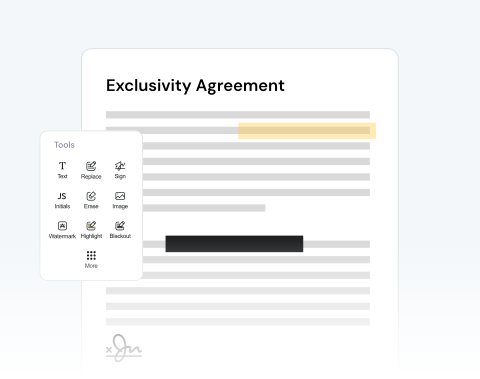

Fully online document editing
Our editor runs entirely online. You can modify scanned files without installing software or managing updates. Upload your file, edit instantly, and download the finished document from any browser.
オールインワンのPDFエディタを使用して、スキャンしたファイルを必要に応じて調整できます。

またはドラッグ&ドロップ

SSL暗号化 - PDFは最大100 MB、その他の形式・拡張子は最大25 MBまで対応
The most complete range of PDF editing tools is right at your fingertips thanks to MergedPDF!
スキャン済み文書をアップロードして編集:
Select the scanned document from your device and upload it securely to the editor.
Add text, highlight sections, insert images, draw annotations, erase elements, or adjust content directly on the page.
Split, merge, or rearrange pages to prepare a clean and professional final document.
Download your edited file instantly or send it directly.
Our editor runs entirely online. You can modify scanned files without installing software or managing updates. Upload your file, edit instantly, and download the finished document from any browser.

Deadlines matter. Our tool processes files quickly, so you can edit a scanned PDF document in minutes. Finalize contracts and update documentation without delays.

The editing dashboard is clean and straightforward. You can edit text in PDF pages, add annotations, and insert images with just a couple of clicks.

You can access the editor from Windows, macOS, or Linux systems. No need to worry if you or your team work across different operating systems.

Edit documents from a desktop in the office or from a smartphone while traveling. The tool supports PCs, tablets, Android, and Apple devices, so your files stay accessible anywhere, at any time.

The editor works smoothly with Chrome, Edge, Opera, Safari, and Firefox. Edit scanned documents without changing your preferred browser.

まずはアカウントを作成して、ファイルの編集、変換、圧縮、分割を簡単に行いましょう!
Everything you need to know about editing scanned documents.
もちろんです!編集したいテキストをクリックするだけです。その後、書き換え、削除、その他の変更を自由に追加できます。
PDFエディタを開き、テキストオプションを選択してテキストボックスを追加します。サイズ、フォント、色、位置など、必要に応じてテキストを変更できます。
もちろん、できます!ツールバーの画像オプションを選択するだけで、ファイルに画像を追加できます。
はい、当社のオンラインPDFエディタでは、文書への注釈の追加、テキストのハイライト、電子署名の追加が可能です。

