


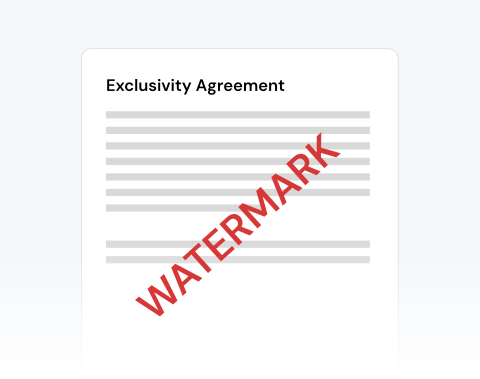

Secure PDF watermarking
Our security measures include file encryption and deleting your documents from our servers after your work is completed. Rest assured that our platform is a secure place to watermark your PDF.
Coloque uma marca d'água no seu PDF em um piscar de olhos!

ou arraste e solte

Criptografia SSL - Suporta PDF até 100 MB e outros formatos e extensões até 25 MB
Read on to learn how to add a watermark to a PDF and make your documents more secure and professional.
Upload your document to our site to begin
Click the watermark option in the toolbar and place your watermark on the document
Adjust the text, font, size, opacity, color, and placement until it fits your needs
Download the finished file to your drive
Our security measures include file encryption and deleting your documents from our servers after your work is completed. Rest assured that our platform is a secure place to watermark your PDF.

You can add a watermark to a PDF using any device, browser, or operating system. Our platform works on Macs, PCs, tablets, and smartphones! You can access the tool seamlessly on Chrome, Safari, Microsoft Edge, Firefox, and Opera.

You don’t need to worry about the layout and formatting of your PDF. The only change will be the addition of the watermark. Our platform maintains all other elements of the document.

Upload your own watermark or create one via our toolbar. Position it where you want on the PDF, alter the size, and edit it as you please. Take advantage of all the tools at your disposal!

You couldn’t ask for a more user-friendly interface! Upload, add your watermark, and download the finished copy in minutes with our streamlined process. It’s that simple!

Whatever your purpose, you can trust MergedPDF’s tools to get the job done! We have everything you need to easily add or create a custom watermark for any document.

Comece criando uma conta para editar, converter, compactar e dividir seus arquivos com facilidade!
Everything you need to know about adding watermarks to PDFs.
Sim, nossa ferramenta prática permite ajustar o texto, a fonte, o tamanho, a opacidade, a cor e a posição da marca d'água no seu documento.
Basta personalizar a marca d'água até que ela atenda às suas necessidades e, em seguida, clicar em “Converter” para adicioná-la ao seu arquivo.
Se você adicionou uma marca d'água ao seu documento, mas agora deseja removê-la, basta clicar na opção excluir no canto direito da barra de ferramentas.
Em seguida, você pode adicionar outra marca d'água ou fazer outras alterações no arquivo.
Adicionar uma marca d'água a um documento ajuda a proteger e identificar a propriedade intelectual. Uma marca d'água também serve como um lembrete visível do criador original.
Sim, nossa ferramenta adiciona automaticamente sua marca d'água personalizada a cada página do seu documento. Isso evita a necessidade de adicionar manualmente cada marca d'água, economizando tempo e esforço.

